 kinesema
Research & tools / 001
A hand,
from every
angle.
Turn an open right hand. Explore the palm, the back and the spaces between fingers, at your own pace.
See how the pieces connect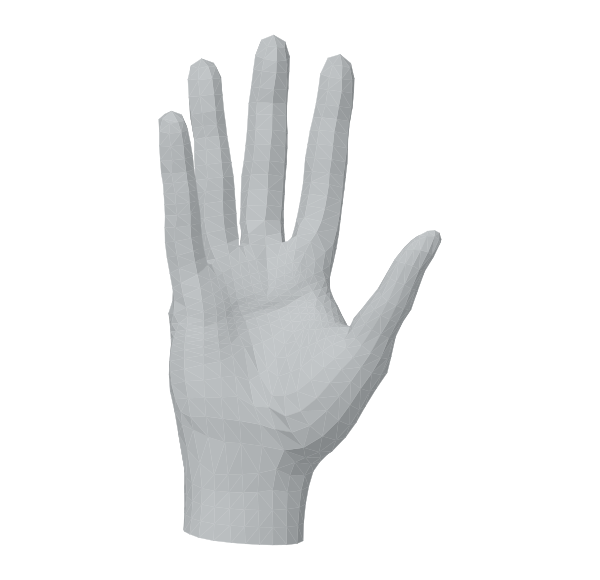
Turn the camera with the buttons or drag. Zoom to look closer.
Keyboard controls
Focus the 3D hand. Use arrow keys to rotate, + or − to zoom, and Home to reset. The view buttons work with a keyboard too.
The first exhibit
One hand.
A closer look.
Look at the palm, the back and the spaces between fingers. Zoom in to explore the form. The hand stays still as you move the camera around it.
This is a development study, not a sign or fingerspelling lesson. We’re sharing a first step towards a hand that can form reviewed handshapes.
Sources and creditsHow this connects
Form is one
part of the story.
This study explores the hand’s visible form. Kinesema’s wider work connects language, handshapes and movement towards a signing avatar.
The language parser is in private development. This public hand study stands on its own and is not connected to the parser.
Making a model move and making a sign understandable are different tasks. Handshapes and signs need Deaf and SgSL linguistic review.
Explore the wider workBuilt on shared foundations.
The hand surface begins with the Immersive Web generic hand, fitted through Kinesema’s ViaSign studies with a MyoHand reference. Three.js brings the still form into your browser.
Credits & licences
The displayed surface is a modified static export. It does not run a physics simulation. Attribution and changes · Hand asset: MIT · MyoHand: Apache 2.0 · Three.js: MIT